
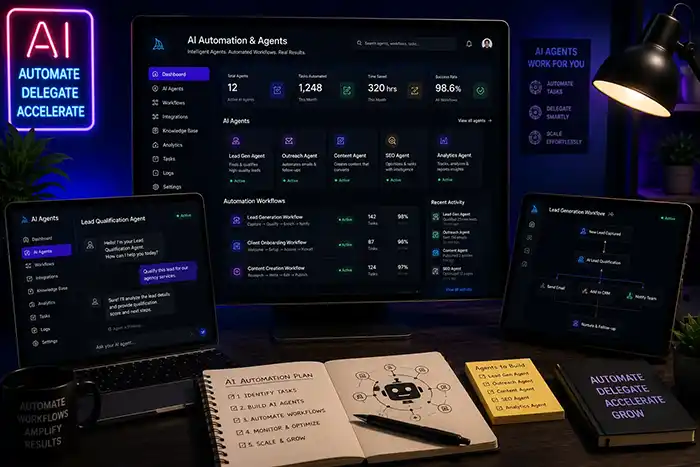
AI Automation & Agents
Learn how to analyse repetitive workflows, connect supported tools through available APIs, route structured data and build limited-scope automation or AI-agent prototypes. Projects include safeguards, error handling and human approval steps. Production deployment, security architecture and enterprise implementation require separate technical review and are not guaranteed as part of the course.
1 Month
₹60,000
Live mentor classes & reviews
Google Meet Instructor-Led
Live mentor-led delivery via Google Meet with interactive Q&A and project reviews.
Certificate provided after successful course completion.
What Your Course Fee Pays For
The ₹60,000 fee covers a 1 Month live online program — not access to a prerecorded course library. Every session is taught live by an active mentor, structured around practical project work, direct mentor feedback, and scheduled project reviews across the listed program duration.
- Live mentor-led classes
- Direct mentor feedback
- Practical project work
- Scheduled project reviews
- Structured curriculum across the 1 Month duration
If your priority is simply the lowest-cost prerecorded content library, our model may not be the right fit. Dadhich Art Academy is designed for learners who specifically want live teaching and direct feedback.
Who This Program Is For
Creative Professionals: Creators looking to automate their client inquiry, lead routing, and project onboarding workflows.
Freelancers & Consultants: Independent workers wanting to automate repetitive status reporting, invoice drafting, and calendar bookings.
Business Operators: Managers and operations staff aiming to automate content brief intakes, drafting, reviews, and status routing.
Automation Enthusiasts: Learners interested in visual no-code or low-code workflow orchestration, APIs, and simple intelligent routing pipelines.
Detailed Curriculum Syllabus
Click on each module header to expand detailed subtopics, workflows, and skills learned.
Understand the core components of workflow automation, APIs, and data movement.
Weekly Core Syllabus Blueprint
- Workflow analysis and identifying automation opportunities
- Understanding APIs, webhooks, and JSON data structures
- Data movement and integrations between platforms
- Automating content workflows and CRM updates
Tools & Platforms Covered
Guided Portfolio Projects
Lead Intake and Routing Prototype
Construct an automated lead intake pipeline that captures form submissions, structures data payloads, and routes alerts to channels.
- Intake Pipeline Map
- Form-to-Chat Routing Logic
- Sample JSON Data Payload
Content-Operations Workflow
Orchestrate an automated workflow that handles project brief intake, drafts layout copy options, tracks review status, and routes for approval.
- Content Workflow Logic
- Approval-Routing Flowchart
- Notification Workflow
Spreadsheet or Reporting Automation
Create a pipeline that captures structured records, executes basic calculations, generates automated summaries, and schedules regular reports.
- Calculation Workflow
- Spreadsheet Automation map
- Scheduled Email format
Simple AI Agent or Web-App Prototype
Build a limited-scope AI agent prototype with clear input fields, guardrail prompts, human review gates, and structured output blocks.
- AI Agent Prototype Link
- Guardrail Configuration Document
- Human-in-the-Loop review gate
Prerequisites & Setup
Is coding or programming experience required for this course?
No coding is required. We focus on visual no-code automation platforms and may introduce basic logic or code-assisted scripts where necessary.
Recommended Learning
Explore practical guides related to the skills covered in this course.
AI Tools vs AI Automation Course: A Complete Guide
Understand the core distinction between individual creative AI tools and multi-step business workflow automation systems.
Best AI Course for Beginners Without Coding
A clear breakdown of no-code creative workflows versus automated systems and code-assisted integration logic.
Course Frequently Asked Questions
All Dadhich Art Academy courses are delivered through live online, mentor-led classes. We do not sell recorded-only or self-paced video-library courses as a substitute for live teaching.
Our delivery model is different from a prerecorded content library. The course fee reflects live teaching across the listed program duration, direct mentor feedback, practical project work and scheduled project reviews. If your priority is simply the lowest-cost prerecorded content, our model may not be the right fit. Dadhich Art Academy is designed for learners who want live teaching and direct feedback.
Live online classes are conducted via Google Meet with interactive screen-sharing, live mentoring, and immediate doubt clearing.
1-to-1 live online learning options are available for students and working professionals. Saturday and Sunday live online options are available for working professionals. Current slots are confirmed before enrolment.
No coding is required. We focus on visual no-code automation platforms and may introduce basic logic or code-assisted scripts where necessary.
AI Tools focus on content creation (images, text, video). AI Automation focuses on system workflows, linking platforms, routing data, and trigger-based processes.
Some providers may offer free or trial access, but availability, usage limits and pricing can change. Any paid plans, API usage or tokens required beyond available access must be arranged by the learner.
Yes. We discuss proper data handling, client-data responsibility, API security, and basic privacy practices when orchestrating automated workflows.
We focus on limited-scope prototypes that demonstrate workflow logic, safeguards and human-review steps. Production implementation, security review and ongoing operation require a separate technical scope.
Yes, you will complete four distinct workflow automation prototypes to add to your portfolio and receive an academy certificate of completion.
Interested in This Course?
Every program is delivered 100% live online. The fee covers live mentor instruction, direct feedback, and scheduled project reviews — not a prerecorded video library.
No commitment needed. Just a conversation.