
Animation Course
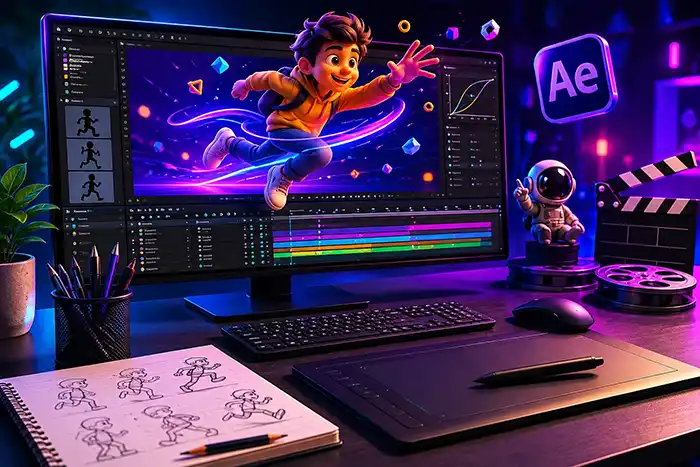
Dive deep into the animation pipeline, from storyboarding to final render. Create dynamic motion graphics, character animations, and visual effects tailored for media, marketing, and entertainment.
7 Months
₹80,000
Live mentor classes & reviews
Google Meet Instructor-Led
Live mentor-led delivery via Google Meet with interactive Q&A and project reviews.
Certificate of completion provided
What Your Course Fee Pays For
The ₹80,000 fee covers a 7 Months live online program — not access to a prerecorded course library. Every session is taught live by an active mentor, structured around practical project work, direct mentor feedback, and scheduled project reviews across the listed program duration.
- Live mentor-led classes
- Direct mentor feedback
- Practical project work
- Scheduled project reviews
- Structured curriculum across the 7 Months duration
If your priority is simply the lowest-cost prerecorded content library, our model may not be the right fit. Dadhich Art Academy is designed for learners who specifically want live teaching and direct feedback.
Who This Program Is For
Motion Beginners: Aspiring designers starting from scratch who want to learn character movement and keyframe-based visual storytelling.
Graphic Designers: Designers seeking to add motion skills to their toolkit, enabling them to animate logos, ads, and visual assets.
Content Creators: Social media creators looking to build custom 2D explainer assets, animations, and kinetic text reels.
Aspiring 2D Artists: Learners seeking a structured foundation in character rigging, dialogue syncing, and motion graphic workflows.
Related Course Guides
Detailed Curriculum Syllabus
Click on each module header to expand detailed subtopics, workflows, and skills learned.
Master the core mechanics of character movement established by Disney animation veterans.
Weekly Core Syllabus Blueprint
- Squash & Stretch (maintaining consistent internal volume specs)
- Anticipation (notifying viewer eyes before actions occur)
- Staging & Layout Framing (arranging scene clarity indices)
- Straight Ahead Animation vs. Pose-to-Pose layout models
- Arcs of physical motion, Slow In & Out velocity graphs
Tools & Platforms Covered
Guided Portfolio Projects
Logo Animation
Apply principles of easing, squash, and stretch to animate a static brand mark into a fluid, expressive logo reveal.
- 5-Second Logo Animation
- Keyframe Velocity Graphs
- Vector Asset Sheets
Kinetic Typography Sequence
Design and animate a text layout sequence synchronized with an audio voice track, establishing rhythm, emphasis, and hierarchy.
- Typography Video File
- Audio-to-Video Marker Log
- Typography styleboard
Character Rig and Lip-Sync Exercise
Prepare vector character layers, set pivot anchors, build bones rigging systems, and animate mouth movements to sync with dialogue.
- Lip-Sync Character Scene
- Bones Rig Setup File
- Phonemes Sheet
Motion-Graphics Showreel
Compile selected logo animations, typography sequences, and character motion exercises into a highly polished, concise final showreel.
- 60-Second Animation Showreel
- Behance Project Case Study
- Source Project files
Prerequisites & Setup
Do I need drawing or traditional illustration experience?
No, drawing skills are not mandatory. We teach you how to prepare and animate digital vector assets, layouts, and characters created in software.
What software will be taught during the animation course?
The course focuses on Adobe After Effects for motion graphics and compositing, alongside Adobe Animate CC for vector 2D character rigging.
What are the laptop and system requirements for animation?
A system with at least 16GB of RAM, a multi-core processor (Intel i7 or equivalent), and a dedicated graphics card is recommended for smooth rendering.
Are software subscriptions and certification included?
No, third-party software licenses (like Adobe Creative Cloud) are not included. We grant our academy completion certificate after verifying all course project submissions.
Recommended Learning
Explore practical guides related to the skills covered in this course.
Seedance 2.5: What Announced AI Video Capabilities Mean for Creators
An industry perspective on generative video capabilities, motion prototyping, and why animation fundamentals remain foundational.
10 AI Tools and Practical Categories Every Designer Should Learn
An overview of applied AI categories, including generative video, motion exploration, and image workflows.
Course Frequently Asked Questions
All Dadhich Art Academy courses are delivered through live online, mentor-led classes. We do not sell recorded-only or self-paced video-library courses as a substitute for live teaching.
Our delivery model is different from a prerecorded content library. The course fee reflects live teaching across the listed program duration, direct mentor feedback, practical project work and scheduled project reviews. If your priority is simply the lowest-cost prerecorded content, our model may not be the right fit. Dadhich Art Academy is designed for learners who want live teaching and direct feedback.
Live online classes are conducted via Google Meet with interactive screen-sharing, live mentoring, and immediate doubt clearing.
1-to-1 live online learning options are available for students and working professionals. Saturday and Sunday live online options are available for working professionals. Current slots are confirmed before enrolment.
No, drawing skills are not mandatory. We teach you how to prepare and animate digital vector assets, layouts, and characters created in software.
The course focuses on Adobe After Effects for motion graphics and compositing, alongside Adobe Animate CC for vector 2D character rigging.
Motion graphics deals with animating layouts, text, shapes, and logos (usually for corporate/ads). Character animation focuses on acting, rigging, and character performance.
A system with at least 16GB of RAM, a multi-core processor (Intel i7 or equivalent), and a dedicated graphics card is recommended for smooth rendering.
Throughout the course, you will work on guided, hands-on projects that build towards a consolidated final 2D and motion graphics showreel.
No, third-party software licenses (like Adobe Creative Cloud) are not included. We grant our academy completion certificate after verifying all course project submissions.
Interested in This Course?
Every program is delivered 100% live online. The fee covers live mentor instruction, direct feedback, and scheduled project reviews — not a prerecorded video library.
No commitment needed. Just a conversation.